
VDI vs DaaS is the comparison many Spanish enterprises are looking at right now.
Most of these have run Virtual Desktop Infrastructure (VDI) for a decade or more, but Desktop-as-a-Service (DaaS) offers a new delivery model where a third-party provider runs the infrastructure, and you pay per user, per month.
If you are responsible for a distributed estate at one of these organizations, you may not be sure of the following three things in this area:
- Whether DaaS should replace your VDI, sit alongside it, or stay out of your estate altogether
- Whether your organization has the expertise to run a DaaS environment properly once it’s live
- Whether your data storage and access controls would be compliant with frameworks like NIS2, DORA and GDPR.
Yet the longer you stall on these doubts, the more your estate drifts while competitors modernize theirs.
This article compares VDI, DaaS, and cloud desktops (the session-based middle ground between the two) across five criteria that will help you answer these concerns: cost, scalability, security and sovereignty, management, and employee experience.
By ticking these boxes, you’ll have a much better idea of which framework is best suited to your estate, and how to run it without drift setting.
We’ll cover:
- What's the difference between VDI and DaaS for large enterprises?
- VDI vs DaaS: 5 things to look for
- VDI vs DaaS: How to choose
- Manage VDI and DaaS from one console with Flexxible
Your remote workforce deserves secure and reliable virtual desktops and applications. Book a demo. with Flexxible to find out how we help you provide them.
What's the difference between VDI and DaaS for large enterprises?
We can only answer the VDI vs DaaS question if we know exactly what each framework contains and how it can best help an organization like yours manage a remote workforce spread across homes, offices, and even multiple countries.
Let’s look at each in turn.
What is VDI?
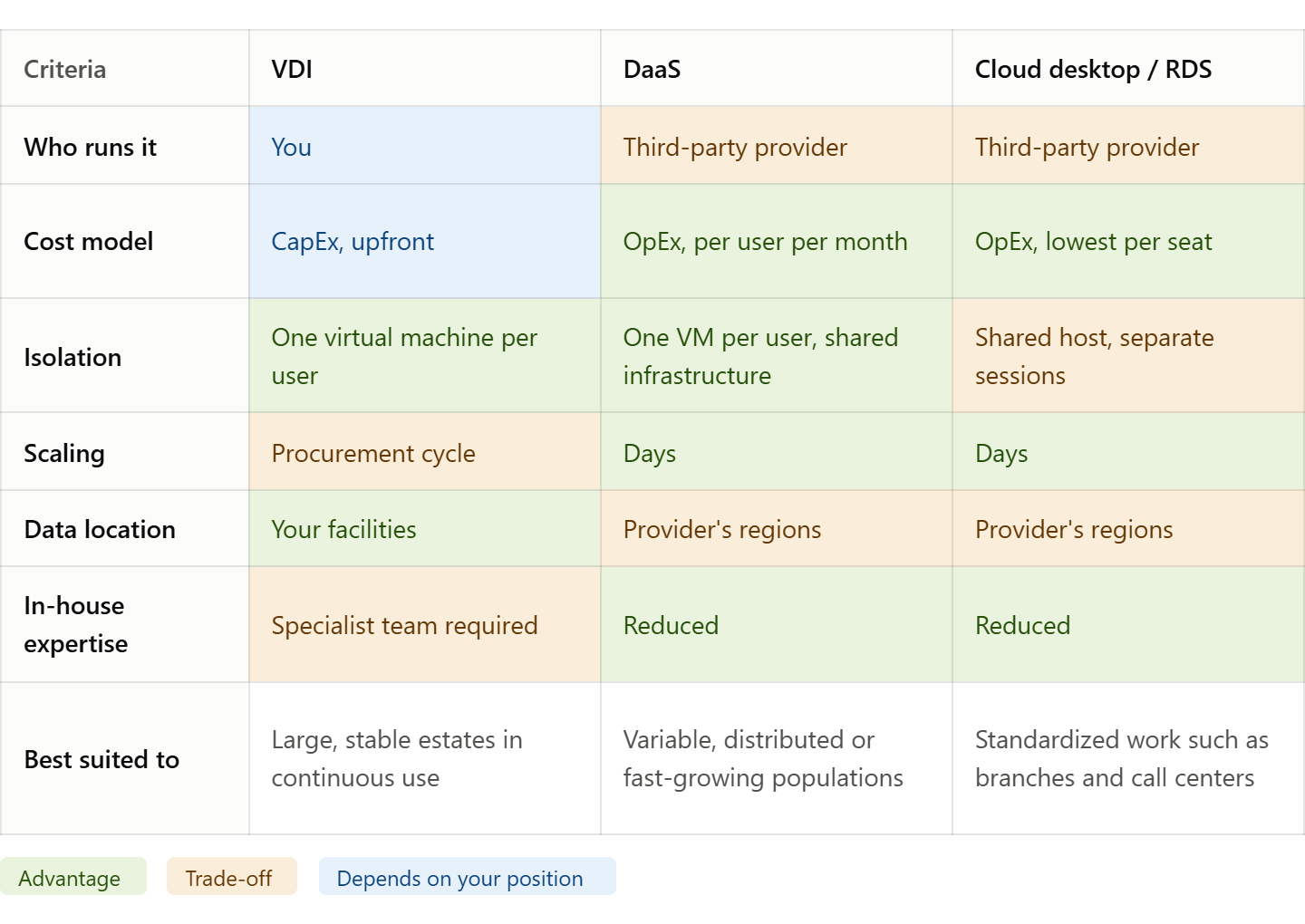
Virtual desktop infrastructure is the most established form of desktop virtualization for businesses. Your organization owns the model and operates it in-house. You normally need a hypervisor for your hardware and a central server to host the environment for everything to run smoothly.
Each user gets their own virtual machine, which your IT team can access either in your data center or a private cloud.
VDI is normally a CapEx (capital expenditure) decision because the organization must buy the hardware upfront, then set a budget for hardware maintenance and refresh cycles.
In exchange, you get ultimate control: none of this environment depends on anyone outside your enterprise.
What is DaaS?
Desktop as a service is a virtual desktop that you pay a subscription for. A third-party provider runs the infrastructure on public cloud, and you pay per user, per month.
Key DaaS players, like AWS, Citrix DaaS, and Azure Virtual Desktop, are Shared Cloud, where customers share the underlying infrastructure but keep their environments separate. These platforms also offer dedicated resources, at a higher price point, that guarantee a fixed allocation of compute and memory.
DaaS is a delivery model for how people receive their desktops and sessions, and its subscription format means it’s normally treated as OpEx (operational expenditure).
Organizations may cede control here, but they do tend to get speed in return. They can get new sites, contractors, and even teams in days, which is much quicker than a procurement cycle.
What is a cloud desktop/RDS?
Cloud desktop is the loosest term of the three, and it usually means session-based delivery rather than a virtual machine each. It allows multiple users to share one host, each in their own session.
The above options all come with pros and cons, and choosing the right one comes down to what type of estate, workforce, and regulatory obligation you are dealing with.
VDI vs DaaS: 5 things to look for
Both VDI and DaaS frameworks bring several benefits to a workforce, but they’re built differently, and the downsides only tend to appear once you start running them.
To help, here’s a comparison of their most important features.
1. Cost: CapEx vs OpEx and the real TCO
Most organizations make the business case for VDI or DaaS based on the financial costs of each, and this paints a reasonable picture.
As we covered earlier, VDI is a CapEx item, so its spend normally happens upfront with hosts, storage, and licensing, followed by a refresh cycle every four or five years. Classed as infrastructure costs, these will pop up on your balance sheet as an asset.
DaaS is an OpEx item because it’s a predictable monthly line with no hardware to depreciate, which is easier to approve and easier to stop.
Yet leaders often overlook the operational capability that they have to sustain the environment. If found lacking, the cost doesn’t necessarily overrun the budget, but it can slow down progress.
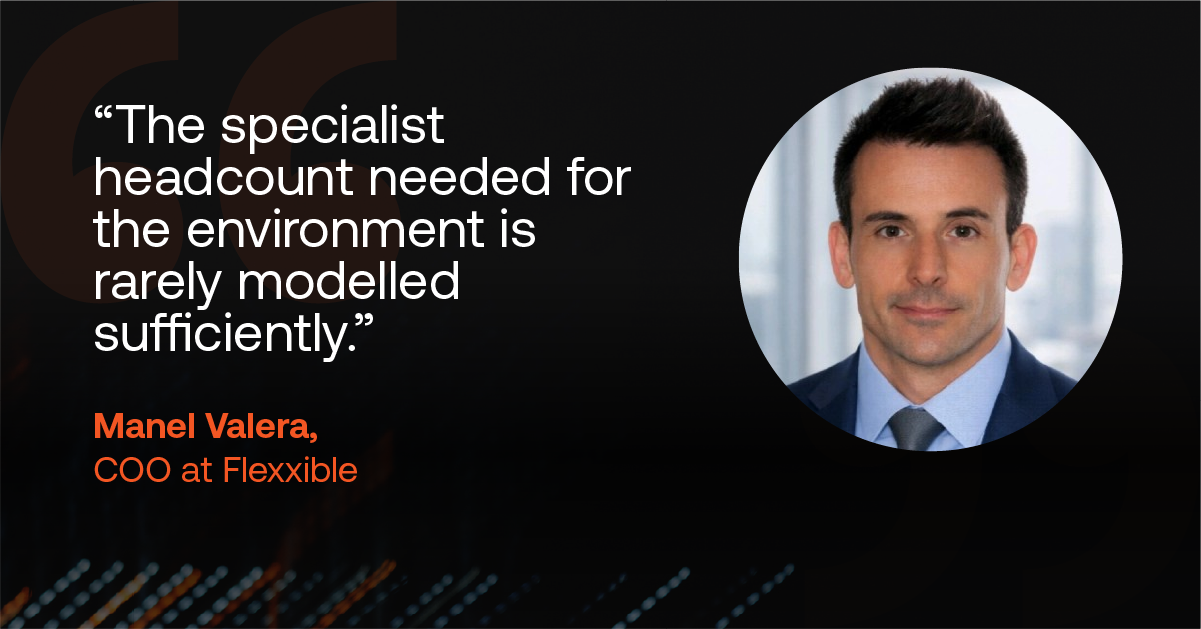
“The specialist headcount needed for the environment is rarely modelled sufficiently,” says Manel Valera, COO at Flexxible. “The image lifecycle, profile management, catalogue provisioning, the annual platform upgrade: all must be taken into account.”
In Spain, this shows up as a practical constraint, rather than a simply theoretical one.
“Virtualization specialists cluster in Madrid and Barcelona, so an organization headquartered in Bilbao, Valencia or Zaragoza competes for a limited pool against consultancies and service providers,” continues Manel. “ A design that assumes two or three engineers carries key-person risk the business case does not show.”
This effect shows up as a set of indicators, often around six months after go-live.
"Golden images that have not been rebuilt in several months. A Windows 11 migration deferred through successive quarters. Storage capacity that is not reclaimed because ownership of the original pool design has been lost. The environment continues to meet its service levels throughout, which is why it seldom triggers escalation. What has stopped is the rate of change,” observes Manel.
The cost is not immediately financial. It accumulates as deferred work and surfaces between twelve and twenty-four months as a modernization programme, which for many organizations is the outcome they chose VDI to avoid.
We can only compare the total cost of ownership of these models when we take into account the operating burden on both sides.
2. Scalability
The two models handle scalability differently. VDI capacity is something you must decide on upfront, often months before demand arrives. If you acquire a company, open a site, or absorb a seasonal peak, you are ordering hardware and waiting for it. Growth can only move at the speed of procurement.
With DaaS, the provider already owns the capacity, which you can buy as soon as you need it. Scaling thus becomes a simple licensing change rather than a capital project with a lead time.
Equally, when headcount falls, you reduce a DaaS subscription. With VDI, you are left with hardware you have already paid for and cannot unbuy.
The caveat here is, once again, cost. DaaS’s flexibility helps it to scale, but a large user population may prove expensive over five years. VDI asks for the money upfront, but costs less to run.
The takeaway? DaaS scales better in both directions, but VDI works best if your numbers are predictable.
3. Security, sovereignty and the compliance floor
Both VDI and DaaS models share security features that hugely benefit endpoint devices, including:
- Secure remote access
- Multi-factor authentication
- Centralized patching
- Data protection by design, with no sensitive data stored on the device itself
Yet the models do diverge on governance. With VDI, the data stays in your facilities under your jurisdiction, so sovereignty doesn’t really enter the equation. With DaaS, you inherit your provider's answer, and that answer can vary greatly.
Either way, the obligations are the same in Spain, with data security at the heart of them. The NIS2 covers essential entities in healthcare, energy, utilities and the public sector. DORA, meanwhile, adds resilience evidence for financial institutions. GDPR, HIPAA and PCI DSS all sit underneath.
This all makes your DaaS decision depend on your provider. You’ll need to know where the data sits, who operates the infrastructure, and which law that operator must abide by. A non-European provider processing EU workloads, for example, can create a jurisdictional issue no contract can legislate for.
Data location, though, is just part of it.
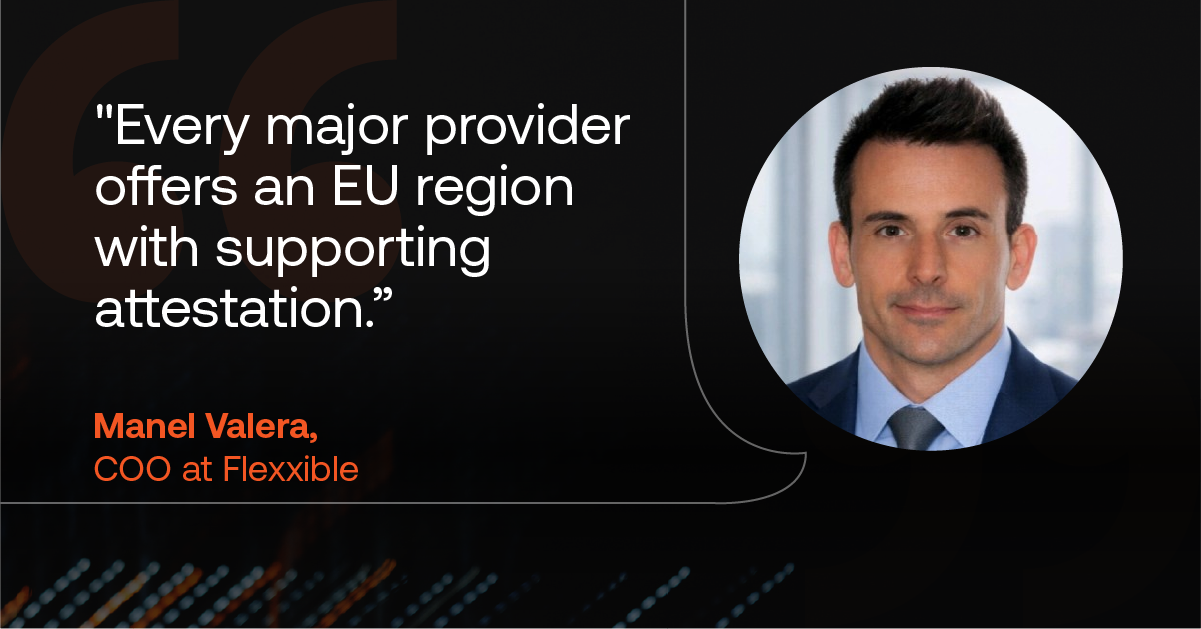
"Every major provider offers an EU region with supporting attestation,” says Manel Valera. “The question that materially affects the assessment is the jurisdiction of personnel holding privileged access. Support engineers able to shadow a clinical or trading desktop session are processing personal data regardless of where the workload runs.”
This question often comes later in the evaluation cycle than you might think, often after a shortlist has been agreed, so it’s worth asking early: who can see into a session, and which jurisdiction do they answer to?
4. Management and troubleshooting
VDI may give you more control, but with this comes more responsibility. You own the whole stack, but this also means you must diagnose issues and fix them, ranging from image builds to broker upgrades.
DaaS, on the other hand, doesn’t give you this headache because the provider handles it. You’ll save many IT hours this way, but it does mean you lose visibility below the session as part of the deal.
Most enterprises that change or blend models find this to be a teething issue. They run VDI, DaaS and physical endpoints, each with its own management tooling, while the service desk sees one blended queue. You might get a user reporting a lag in latency, but no one will know what the cause is.
Software updates, patch state, and business continuity planning also fragment the same way.
5. Employee experience
Both VDI and DaaS excel at reporting on infrastructure, but neither tells us one of the most important metrics behind the distributed workplace: the digital employee experience.
A VDI dashboard may have deep infrastructure telemetry that gives green lights for CPU, memory, storage, and session availability, but it won’t tell you the frustration a worker feels with an app that hangs mid-task or a non-responsive printer.
DaaS teams typically have even less to go on because the platform is with the external provider, so the first sign of a problem is usually a support ticket.
The result is that most enterprises are in the dark when it comes to DEX, and are oblivious to the digital friction that can lead to a loss of both productivity and, ultimately, their best employees.
Which model fits your organization
Up until recently, Spanish organizations treated VDI and DaaS as a binary choice.
Those with a large, stable estate with data that couldn’t leave the enterprise’s facilities and a ready-made virtualization team found VDI to be the best move.
Others found that DaaS was better for their hybrid work population that frequently varies thanks to acquisition and contractors. Here, their provisioning speed outranked unit cost, so a monthly fee to a provider was better than buying a central server they might outgrow in two years.
In 2026, most estates already contain both, alongside physical endpoint devices and a thin client fleet in a branch somewhere. The work is identical wherever a desktop runs: software updates, secure remote access, troubleshooting latency, proving GDPR or PCI DSS compliance.
Only the tooling changes, and that is the part costing you time.
This is what DaaS & VDI solutions are designed for. Secure and scalable, these platforms deliver high-performance virtual desktops and applications that help bring down overheads and power operational agility.
Manage VDI and DaaS from one console with Flexxible – Recognized in the Gartner Magic Quadrant
Enterprises don’t need to pick a winner out of VDI, DaaS, or a cloud desktop anymore.
Instead, they can get all of these in one platform, with a single interface that manages every one of your desktops, physical or virtual.
Flexxible’s DaaS solution is built for exactly this: use your hardware or ours, any broker, cloud, or hypervisor.
Reliable and scalable, it gives your IT team the power to:
- Unify management through real-time visibility of infrastructure and user sessions and offer secure remote assistance
- Issue self-healing scripts that fix issues before anyone files a ticket
- Diagnose the cause of the issue via deep analytics that track resource consumption and performance trends
- Monitor the whole estate 24/7 from one single pane of glass
- Automate tasks including custom workflows, provisioning and incident solutions, plus self-service so users can solve the small things without them.
Put together, these features make Flexxible a proven choice for managing workforces at scale. The 2026 Gartner® Magic Quadrant™ for DaaS solutions has recognized Flexxible for the fourth year running, and we’ve recently reached the highest level possible of Spain's ENS RD 311/2022 as a European company on European infrastructure. This means data sovereignty, GDPR, and NIS2 obligations are settled by design rather than negotiated per project for your Spanish organization.
VDI, DaaS, or both. The only thing you shouldn't be running twice is the console.
Ready to empower your workforce with fast, reliable virtual desktop solutions? Book a demo with Flexxible today and see how you can reduce overheads and increase operational agility.
Recommended for you
- Dynamic Workspace Groups: The Feature Almost Nobody Uses to Its Full Potential
- How To Find The Best Alternative to an Employee Experience Platform For Your Business in 2026
- Stop Counting Tickets: How to Measure Digital Employee Experience the Right Way
- Looking for a Nexthink Alternative? How to Find One That Works For Your Organization
- How to Make Wake on LAN Work For Your Business in 2026
- The Next Generation of RMM Is Here – and It's Called DEX. Here's How to Get Ready
- How to Optimize Productivity With These 5 Digital Workspace Essentials
- What is a Digital Workplace? How to Make it a Strategic Advantage in 2026

