
In the age of automation, around 74% of remote IT assistance tickets can be resolved without a human ever touching them.
Many large enterprises see that as the signal to shrink the service desk, but this is a mistake. The more tickets self-healing IT solves, the harder the remaining incidents become, and the more skilled human intervention must be.
If you're leading IT across a distributed workforce, you may recognize this tension with the following concerns:
- Your helpdesk metrics can't see the IT incidents automatic remediation prevents, which reads as a fall in demand instead of delivered value
- Nobody owns the experience end-to-end as RMM tools monitor the device, while virtual desktop platforms monitor the sessions.
- Your remote support tooling was built for the easy tickets, but these are the ones automation already handles.
All are common issues and can lead to a smaller IT team facing a larger caseload if you choose to ignore them.
The modern digital workplace needs both areas working as one; that is, automation to cut out the noise of repetitive, preventable incidents, and the expert remote IT assistance for what’s left.
Read on to find out how your organization can achieve this unified support model, including how Flexxible will help you complete both halves of the equation very soon.
- Remote IT support: What’s the automation ceiling?
- The human layer: What’s left after automatic remediation
- Remote technical assistance: Built for the person, not the average ticket
- How to move from reactive to proactive IT support in large organizations
- Great automation needs great remote IT assistance: Get both with Flexxible
Are support tickets holding your digital workforce back? Book a demo with FlexxClient to see how automation and expert remote assistance work as one layer to deliver measurable results for your business.
Remote IT support: What’s the automation ceiling?
Most IT leaders know that most help desk tickets are automatable, but it’s perhaps not as high as many think.
A recent Flexxible customer study found that 74% of tickets can be solved via automation. These are the password resets, software updates, program installations, and the Microsoft 365 issues that tend to cycle through support queues every month.
This stat is backed up by wider market research. Gartner predicts that by 2029, agentic AI will autonomously resolve 80% of common customer service issues without human intervention. This will lead to a 30% reduction in operational costs, and a shift in how organizations resource and structure internal IT support.
Yet the ceiling isn’t the problem: it’s how far your organization currently sits below it.
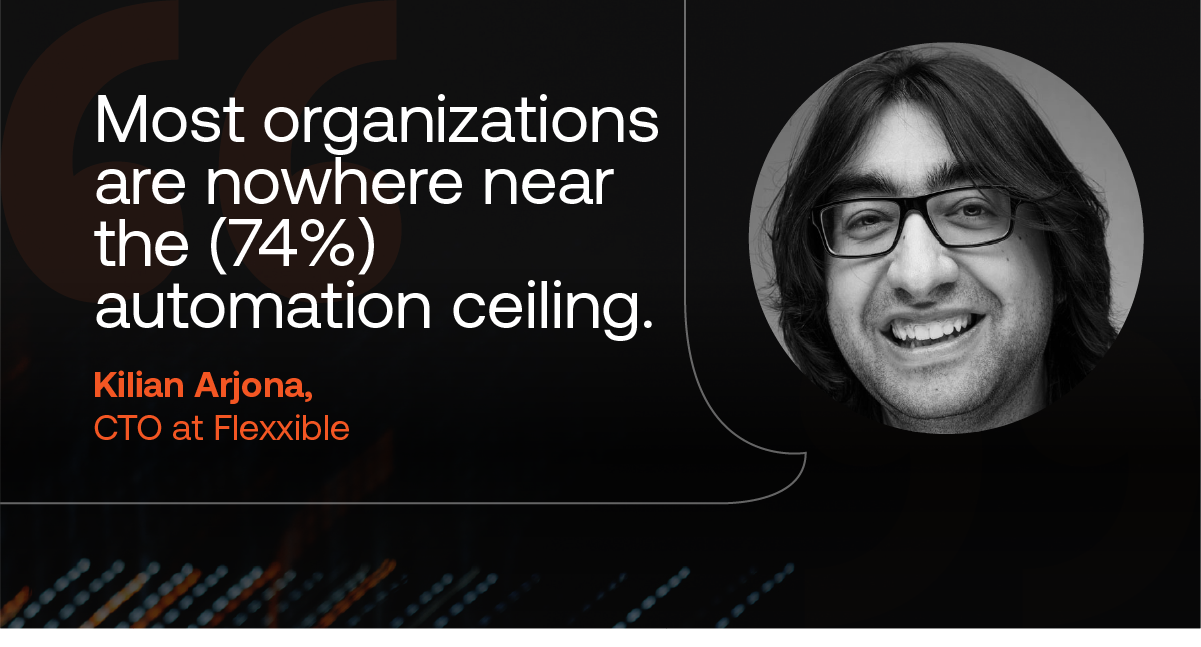
"Most organizations are nowhere near the (74%) automation ceiling," says Jenn Keane, Marketing and PR Director at Flexxible. "That's an execution gap, not a technology limit, and a case for investing in automation.”
DEX platforms for enterprises are helping to close this gap. They gather continuous telemetry from every endpoint, including laptops, macOS devices, and virtual desktops, and convert it into preventive maintenance, such as:
- Correcting configuration drift
- Restarting failing services
- Pushing software updates
- Resolving software problems
These platforms are a departure from traditional remote assistance that always waited for a ticket before it opened a session to fix what was broken. Automatic remediation resolves an issue before the employee notices because it acts on a signal rather than a complaint, so most of its work is invisible.
But this invisible work has limits, and the issues left unresolved demand expertise that no script can replicate.
The human layer: What’s left after automatic remediation
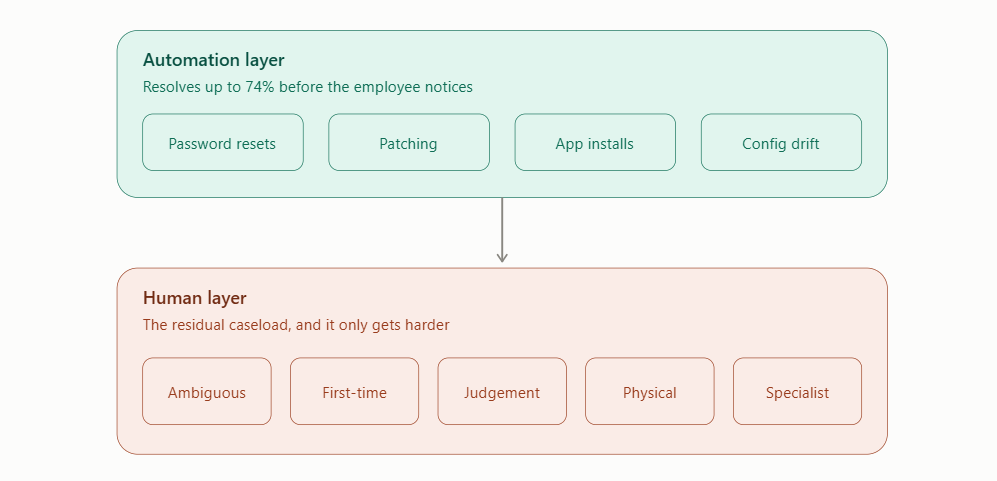
Automatic remediation has improved dramatically in recent years, and it’s tempting for organizations to get complacent. If the platform handles three-fourths of the queue, then why keep investing in the people behind it?
Yet thinning out your support function is dangerous. The issues that even advanced automation can’t touch require diagnosis, judgement, and human contact, and we can break these down into five recognizable types.
1. Ambiguous problems
Employees experiencing technical problems often don’t understand why they’re experiencing a slow connection or lagging application, so it’s often not clear what's actually broken, or where to start looking.
“Automation needs a signal to act on, and the user hasn't given one,” says Kilian Arjona, CTO at Flexxible. “Getting from that to a diagnosis requires a conversation, and it's a large share of what actually reaches a service desk.”
Vague, hard-to-reproduce cases normally can't be scripted. Instead, they need humans to talk through them.
2. First occurrences
Automation excels at resolving known patterns, so a genuinely new type of failure can pass through undetected until someone reports it. Typically, a human must diagnose this failing before they can write a rule for automation to follow.
3. Judgement and authorization
The technical action might be entirely automatable, but there will always be a need for human judgement and authorization for important decisions that carry real business risk, like wiping a device or isolating a laptop after a malware alert.
4. The physical world
There are some failures that no remote access session can ever reach: namely, hardware failures, peripherals, docking stations, a home router, or switches sitting at the far end of a link. Someone still has to talk the employee through it.
5. Specialized support experiences
Some user profiles need an IT technical support experience designed around their specific working context, instead of just the average case. Automation falls short here, because it optimizes for the average, rather than this special type of user that often generates the most business value.
Remote technical assistance: Built for the person, not the average ticket
Average resolution times are an extremely useful metric for many IT issues, but there are many specific cases where they hide more than they reveal.
Take a field engineer on site with poor connectivity and no second device, or a branch employee with a customer sitting in front of them – both need their issue unblocked in that specific moment, with minimal effort on their part.
Generic remote connection software tends to fall at this hurdle. Routing a user into a self-service portal can be a bad experience even when it works, because the cost of the interaction is time, something they can least afford to give up.
The same applies to users with accessibility requirements, for whom the self-service route is often measurably harder than the assisted one.
What’s more, the users who need fast, human remote IT support are often those who generate the most business value per hour.
This is where remote technical assistance can deliver. Designed properly, it removes the diagnostic burden from the user entirely, and that starts with what remote IT support can see before the session even opens.
A technician who joins already knowing the telemetry, patch state, and recent remediation attempts can start diagnosing right away, rather than asking the user to describe the problem via generic screen sharing.
This is where the difference doesn’t necessarily appear in average resolution time, but in user experience and in whether your most critical people trust IT enough to call in the first place.
How to move from reactive to proactive IT support in large organizations
To deal with a harder residual caseload, an organization’s entire support operating model must change with it.
Here are the four key elements:
1. Unify visibility first
Remote IT maintenance and virtual environments often arrive via separate tools within organizations, with RMM tools watching the device and virtual desktop platforms watching the sessions. Nobody owns the experience end-to-end.
This is where bringing all IT systems and IT equipment into a single view, including physical endpoints, remote desktop sessions, and applications, truly matters. In fact, it should be the precondition for everything else.
2. Make prevention visible
Standard helpdesk metrics can't see what never happened. This is why counting prevented incidents as well as resolved ones is so crucial: it helps you read delivered value instead of just falling demand.
This one factor alone can help a proactive programme survive its first budget round.
3. Automate the recurring, then integrate with your ITSM tool
Rules come from repeating incidents, such as software installation requests, failing backups, and patch drift.
Feeding those automations back into the service management workflow, rather than running them alongside it, is what turns insight into operational change. One Flexxible healthcare client cut average resolution time from 1.8 days to eight minutes this way.
4. Settle governance early
Letting software change production endpoints without a ticket authorizing each change is one example of a change-control gap that can trip an audit, especially in GDPR-bound sectors where it needs answering at board level.
Every automated action and every remote help desk session should therefore have an encrypted connection, role-based access and a defensible audit trail attached.
In our experience, the best telemetry only gets you so far. The organizations that move fastest are those that have the approval model resolved up front.
Remote work has permanently distributed your digital estate, and automation will keep absorbing more of the queue, yet remote technical support is set to become more important than ever.
Great automation needs great remote IT assistance: Get both with Flexxible
Great digital employee experience is made up of two halves. Automation and remote IT assistance.
FlexxClient already covers the first half.
Our single-console platform, FlexxClient, delivers self-healing automation that fixes incidents before employees notice them and gives IT real-time observability across physical and virtual endpoints. With embedded security and compliance reporting, it helps organizations measure DEX, act on employee feedback, and prove the value of IT to the business.
This is why our customers recover up to 78% of employee time otherwise lost to IT friction, and why we’ve been recognized in Gartner's Magic Quadrant for Digital Employee Experience Management Tools for three years running.
In autumn 2026, we complete the second half.
Flexxible's new Remote Assistance solution is built for exactly the caseload this article describes: the ambiguous, the unprecedented, the high-stakes, and the users who can't be kept waiting.
This assistance will run on the same platform as your automation, so the technician can start an attended or unattended session directly from the portal, already holding the device’s full context. Also, governance is designed in so every session is logged and auditable by default and delivers a signed audit trail straight to your own console. AI capabilities create an
In short, the better your automation gets, the better your remote assistance has to be. Most organizations are investing in one yet neglecting the other.
With Flexxible, you’ll get both, working within a single layer.
Ready to close the gap between what your automation handles and what your people still face? Book a demo with Flexxible and see how we unify automation and expert remote assistance into a single layer.
Recommended for you
- VDI vs DaaS: Which Do Large Enterprises Truly Need?
- Dynamic Workspace Groups: The Feature Almost Nobody Uses to Its Full Potential
- How To Find The Best Alternative to an Employee Experience Platform For Your Business in 2026
- Stop Counting Tickets: How to Measure Digital Employee Experience the Right Way
- Looking for a Nexthink Alternative? How to Find One That Works For Your Organization
- How to Make Wake on LAN Work For Your Business in 2026
- The Next Generation of RMM Is Here – and It's Called DEX. Here's How to Get Ready
- How to Optimize Productivity With These 5 Digital Workspace Essentials

