
If you’re an IT leader at a large organization, digital experience monitoring (DEM) can solve a common problem.
Your servers are all fine, you’re meeting your SLAs, and the network looks healthy: everything on your monitoring dashboards gives the green light. Yet in the background, employees are struggling with frozen apps and faulty VPNs, and your support team never hears about it because they don’t receive a ticket.
This can be an expensive disconnect. Workers now lose the equivalent of 51 working days a year each to digital friction, according to the latest research from WalkMe, a digital adoption platform.
Digital experience monitoring is a category of tools that can help you make up this lost time. Most watch your apps and infrastructure, but the best DEM solutions will tell you what an employee experiences on their device, and ask how they feel about it.
But which solutions are these? Below, we compare five digital experience monitoring solutions for enterprise IT and judge them on one golden question: do they connect performance data to the people using it?
We’ll cover:
- What Is Digital Experience Monitoring?
- Why uptime metrics miss the employee experience
- What to look for in Digital Experience Monitoring solutions
- The 5 best Digital Experience Monitoring solutions for enterprise IT
- How to build a Digital Experience Monitoring strategy that lasts
FlexxClient provides your employees with technology experiences that safely enable business continuity and deliver measurable results to your business. Book a demo
What is Digital Experience Monitoring?
Digital experience monitoring (DEM) tools measure the user experience behind your organization’s applications. Gartner, a leading authority on this topic, breaks this UX down into three dimensions: availability, performance, and quality.
DEM also covers two different disciplines, so it’s worth knowing which one you need to prioritize before you start to evaluate vendors, as it could save months of unnecessary work.
Application-side DEM vs employee-side DEX monitoring
Application-side DEM grew out of application performance monitoring (APM). It’s built for customer-facing websites and services, and measures them from the outside in. It includes:
- Synthetic monitoring, also called synthetic transaction monitoring (STM), roots out potential outages by running scripted synthetic tests against an application around the clock.
- Real user monitoring (RUM) captures how real visitors experience a site, including page load times, Core Web Vitals and CDN performance. It often adds session replay so teams can reconstruct exactly what went wrong.
Employee-side monitoring starts from the workforce instead. It’s often called end user experience monitoring (EUEM) or DEX monitoring. It tracks the endpoint, the virtual session, and the apps employees rely on every day. Perhaps most importantly, it tracks how employees rate that experience.
Gartner recognizes this difference. Its 2025 Magic Quadrant for Digital Experience Monitoring doesn’t include employee-side DEX tools. Instead, it assesses these in a separate Magic Quadrant.
This difference matters, too, if you’re an IT leader or CIO. An APM might be able to tell you that your CRM loaded almost instantly from a test location, but it won’t let you see how half your finance team is waiting on it from laptops running at 95% memory, or that they’ve stopped reporting it.
The blind spots this creates can lead to hours of lost productivity that never show up in your uptime reports.
How uptime metrics miss the employee experience
Most IT teams judge performance on infrastructure KPIs, including:
- Uptime
- Error rates
- Network latency
- Application response times.
These are important metrics, but you can meet every SLA and your team will still leak productivity due to digital friction that doesn’t appear on a support ticket.
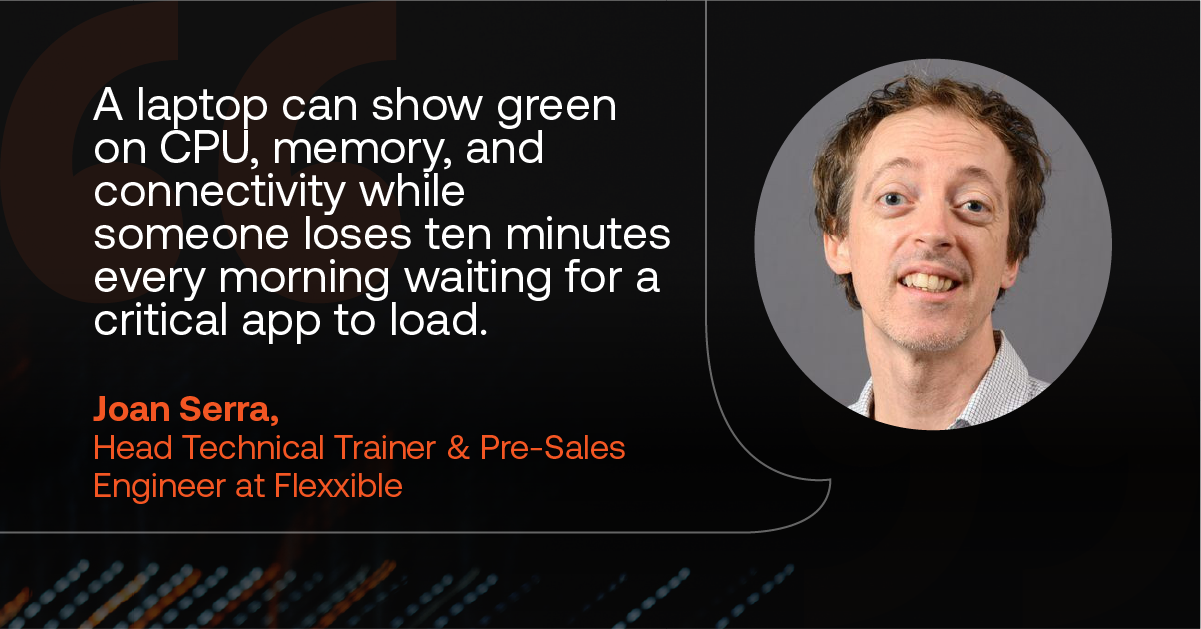
“Telemetry tells you the state of the machine. It doesn’t tell you whether the person could do their job,” says Joan Serra, Head Technical Trainer & Pre-Sales Engineer at Flexxible. “A laptop can show green on CPU, memory, and connectivity while someone loses ten minutes every morning waiting for a critical app to load. Most of those people never open a ticket. They adapt, work around it, and the cost stays invisible.”
This cost tends to show up elsewhere. 66% of workers said they’d stayed late, skipped a break, or logged back on after hours to recover time lost to an unresolved IT problem, according to a recent report by Buchanan Technologies. This might be an app freeze or a slow VPN that they don’t report, but instead just wait out. They don’t submit a ticket, but they do feel frustration, and this can quickly drain morale.
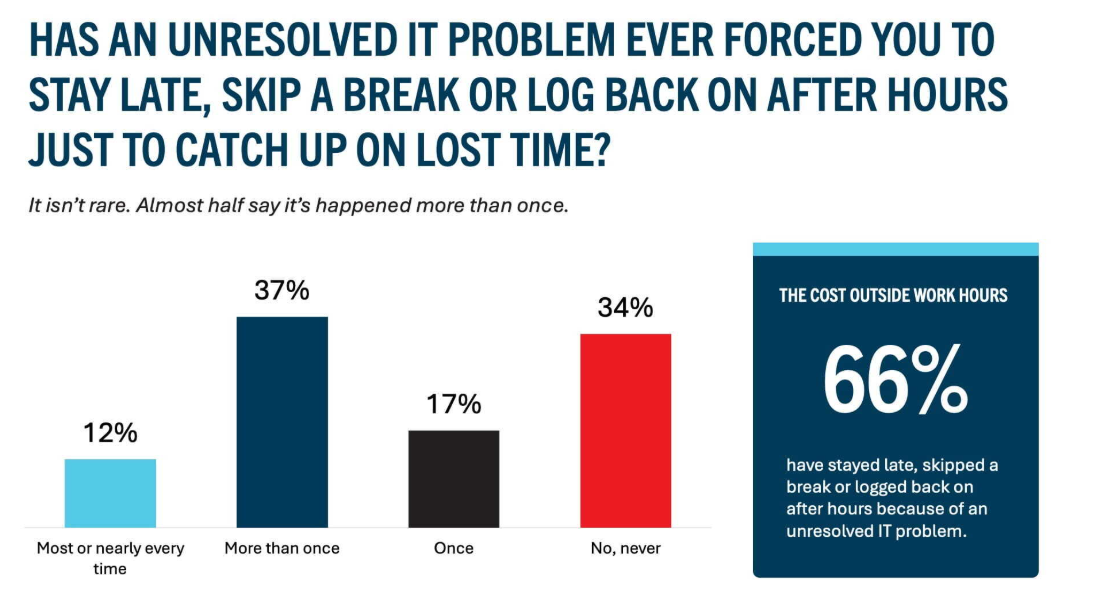
Source: Buchanan Technologies
Fragmented visibility is the central cause of this problem. Infrastructure monitoring and network monitoring show you the mechanics, RMM and UEM tools watch the device, and virtual desktop platforms watch the sessions. None of them shows the full picture from where the employee sits.
This digital infrastructure is bigger than many executives think. WalkMe’s data found that organizations run an average of 661 different applications, dramatically higher than the average executive guess of just 35. Leaders can’t fix what they don’t know exists.
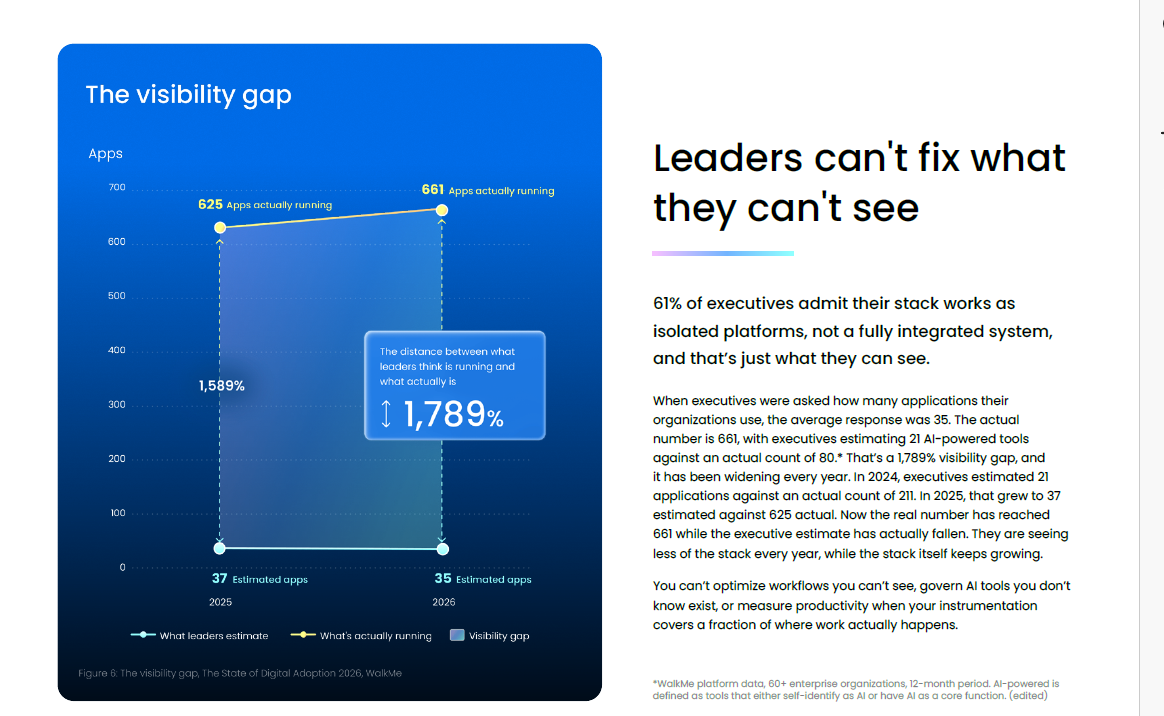
Source: WalkMe
Measuring the machine is no longer enough. Organizations must measure the experience.
What to look for in Digital Experience Monitoring solutions
Most DEM solutions claim to close this visibility gap, but not all of them do. When assessing options, asking yourself these five questions will take you closer to this capability.
1. Does it have end-to-end visibility?
The platform should cover everywhere work happens, including physical and virtual desktops, web and SaaS apps, cloud services, and mobile applications. Some don’t, and this means they miss friction in important places.
2. Does it provide an experience score tied to employee sentiment?
Telemetry will show you what’s breaking, and sentiment will let you know how the employee feels about it..The best tools combine performance data with direct employee feedback in a single DEX score, so IT can prioritize the fixes people actually feel.
3. Does it offer root-cause analysis and automated remediation?
Observability only takes you so far. Look for AIOps-driven root-cause analysis that cuts troubleshooting time, plus self-healing automations that fix common issues before anyone logs a ticket. Together, they bring down mean time to resolution (MTTR).
4. Does it integrate with your existing stack?
The tool should plug into whichever ITSM platform and endpoint security tools you already use, so data and fixes flow both ways.
5. Does it hold up to data residency and compliance scrutiny?
Monitoring agents collect data from every endpoint. You should check where that data is hosted and which jurisdiction governs it. The vendor should also support your GDPR and NIS2 supply-chain obligations. If you run a SASE architecture, then you’ll need to check that the monitoring tool works alongside it.
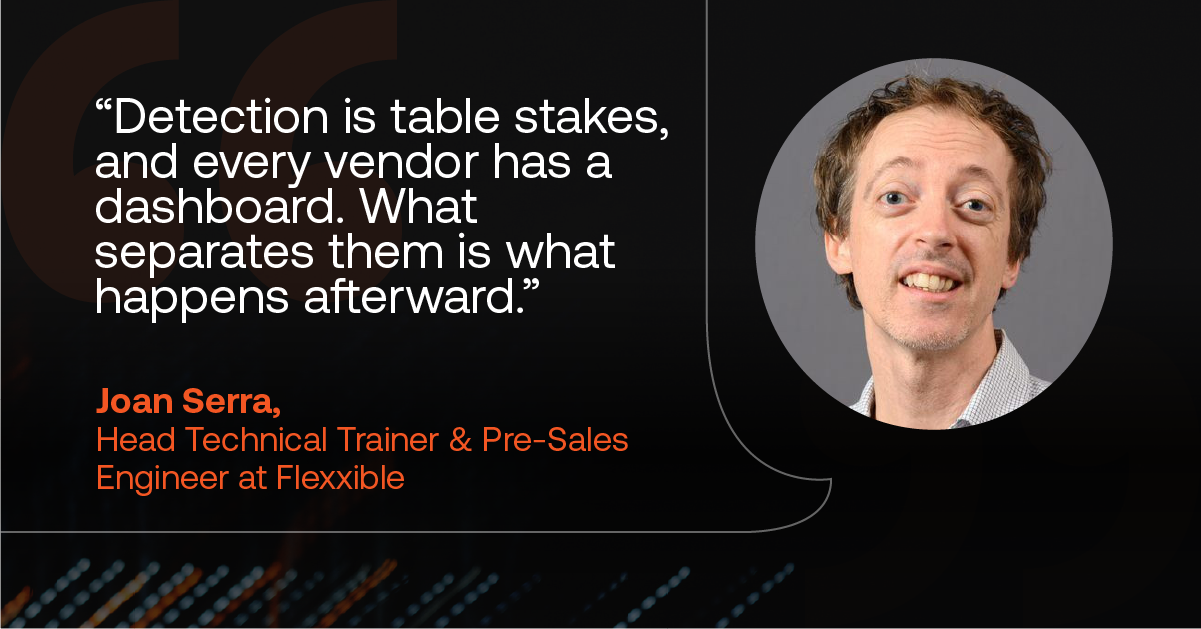
Before you shortlist anyone, Joan Serra recommends asking every vendor one question: “After you detect a problem, what exactly happens next, who authorized it, and how do you prove it worked? Detection is table stakes, and every vendor has a dashboard. What separates them is what happens afterward.”
If you feel a positive response to four or five of the above questions, then you’re very close to finding an excellent DEM solution for your organization. To give you a head start, the next section looks at five solutions that meet these criteria.
The 5 best Digital Experience Monitoring solutions for enterprise IT
1. Flexxible (FlexxClient)
Best for: Enterprises that don’t just want to monitor DEX, but use it to drive productivity across the entire organization.
IT teams normally only get one half of the picture. They see what’s breaking, but not the impact it’s having on the employee behind the problem.
FlexxClient, Flexxible’s SaaS DEX platform, covers both sides by pairing a live DEX score with direct employee feedback. When something goes wrong, its self-healing automations step in and fix it, often before the employee has time to call IT.
Flexxible Web Apps measures web application performance from inside the employee’s own browser, so IT can see first-hand the delays that people are sitting through. This one-console view covers laptops, desktops, and virtual workspaces.
For teams that want entire tickets resolved without an engineer, FlexxSolve adds an autonomous service desk on the same control layer. It applies fixes certified by Flexxible’s engineers and checks they held. Your IT team decides which categories it handles, what needs approval, and the monthly budget. Every action is logged.
According to Flexxible, customers win back 78% of the employee time lost to IT incidents, resolve 19% of tickets automatically and pin down issues 65% faster. This track record has earned attention from Gartner, which has listed us in 2026 Magic Quadrants™ for DEX Management Tools and for Desktop as a Service.
One more important feature: all Flexxible data stays in-region on Microsoft Azure and we’re ENS High certified as staying compliant with public sector legislation.
Worth noting: Flexxible is a relative newcomer to a market dominated by long-established leaders. We recommend you to try out our demo center to find out how it can excel in your work environment, and read peer reviews on G2 or Gartner Peer Insights. FlexxClient offers competitive pricing, available as a full product suite, through bundles, or start and grow with individual modules
2. Nexthink Infinity
Best for: Large enterprises with mature DEX programs and the budget to match.
Nexthink is one of the biggest names in the DEX sector and is routinely listed as a leader in Gartner’s Magic Quadrant for DEX Management Tools.
Worth noting: Many organizations are priced out by Nexthink’s high costs and it’s à la carte options are complex. Smaller enterprises with fewer than 5,000 endpoints usually buy it through partners or seek Nexthink alternatives that better suit their budget.
3. Riverbed Aternity
Best for: Organizations with mobile-focused estates that need one view of every device their employees carry.
Riverbed Aternity is a DEM solution that measures and correlates user experience data across large endpoint estates. Its aim is to help IT teams to move from simply troubleshooting reactively to more proactive operations.
Worth noting: Gartner also noted that Riverbed’s list pricing is higher than most DEX vendors, while its broad platform messaging can also make it harder to evaluate purely as a DEX monitoring tool.
4. Lakeside Software SysTrack
Best for: IT teams needing deep endpoint data and historical analysis.
SysTrack focuses on endpoints first. It collects performance data frequently and keeps it for a long time, so when something goes wrong, IT can look back and pinpoint exactly when and why it started.
Worth noting: Gartner’s 2025 report noted that Lakeside releases major updates only once a quarter, which is less often than most competitors. It also leans more on partners to support customers outside North America and Europe.
5. ControlUp ONE
Best for: Organizations with large virtual desktop estates
ControlUp’s roots in virtualization monitoring run deep, and the platform now covers desktops, Cloud PCs, SaaS apps and unified communications. It positions itself around autonomous endpoint management, and Gartner noted its pricing sits below the market average.
Worth noting: Gartner observed that ControlUp’s marketing focus on virtualization may narrow how buyers perceive its broader DEX capabilities.
How to build a Digital Experience Monitoring strategy that lasts
Choosing the right DEM tools is important, but if you don’t have a digital experience monitoring strategy to support it, then you risk collecting data that no one acts upon.
Here are four steps you can follow to help get the best out of your investment.
- Baseline the experience. You can only measure progress if you know where your estate was at the outset. Record the current device, session, and app performance before you change anything.
- Add sentiment. Ask your employees which issues are affecting how they work and compare that to the telemetry you just collected.
- Automate the top recurring fixes. Often, it’s only a handful of issues that cause the most friction. If you can automate these, then you’ll have a solid base from which you can expand automation as confidence in the solution grows.
- Report the KPIs leadership cares about. We’re talking about the mean-time-to-resolution (MTTR), DEX score, and hours recovered as the key stats that prove business value and win over leaders.
Like with most business strategies, building a DEX strategy should not be a one-time project, but a continuous loop that builds towards better results. DevOps teams already know how to do this when they use feedback from each release to inform the next one.
A digital transformation adds new tools and workflows. A continuous feedback loop helps you keep improving the user experience instead of reacting to it. Together, they make sure your employee experience improves as fast as your estate changes.
Your monitoring already tells you what’s up. FlexxClient shows you what employees are living through, and fixes it before they notice. Book your demo today.
Recommended for you
- Autonomous IT: How to Find The Best Automated Support
- How to Fill the Gap UEM vs MDM Comparisons Never Mention
- How to Choose an Endpoint Management Platform: 7 Popular Options Compared
- AI-powered remote assistance, already built into your platform
- The Better Your Automation Gets, the Better Your Remote Assistance Has to Be: How to Modernize for 2026
- VDI vs DaaS: Which Do Large Enterprises Truly Need?
- Dynamic Workspace Groups: The Feature Almost Nobody Uses to Its Full Potential
- How To Find The Best Alternative to an Employee Experience Platform For Your Business in 2026

