

The European digital workplace platform for better employee experiences, smarter IT operations, and work without friction.


Solutions
The workplace transformation is pushing organizations to invest in hybrid, cloud, and AI-driven technology that makes a distributed workforce more productive.
This means organizations need to ensure employees get the most out of these tools.
Knowing how to choose a DEX platform is central to this because the digital employee experience is the real test of whether these tools are working.
As an IT leader or CIO responsible for making the correct choice, you’re probably looking for a platform that can help you cut down on the issues that drain time and budget, such as:
The right DEX platforms help you see, fix, and prevent these obstacles, yet not every platform is built to do all three. Choosing the wrong one for your organization could prove costly: According to Gartner’s Magic Quadrant for DEX Tools (2026), “through 2030, digital friction caused by poor DEX will inhibit enterprise AI adoption and intended productivity gains.”
This guide looks at how to choose a DEX platform that best fits your company and helps you avoid these problems. We cover the compliance essentials every vendor must meet, then the six criteria that matter most, in priority order.
We also look at the questions to put in your RFP, so that you can get the very best out of the new digital workplace.
Choosing the right DEX platform can give you the business continuity to achieve measurable results for your business. Book a demo with Flexxible to find out how we can help you do this.
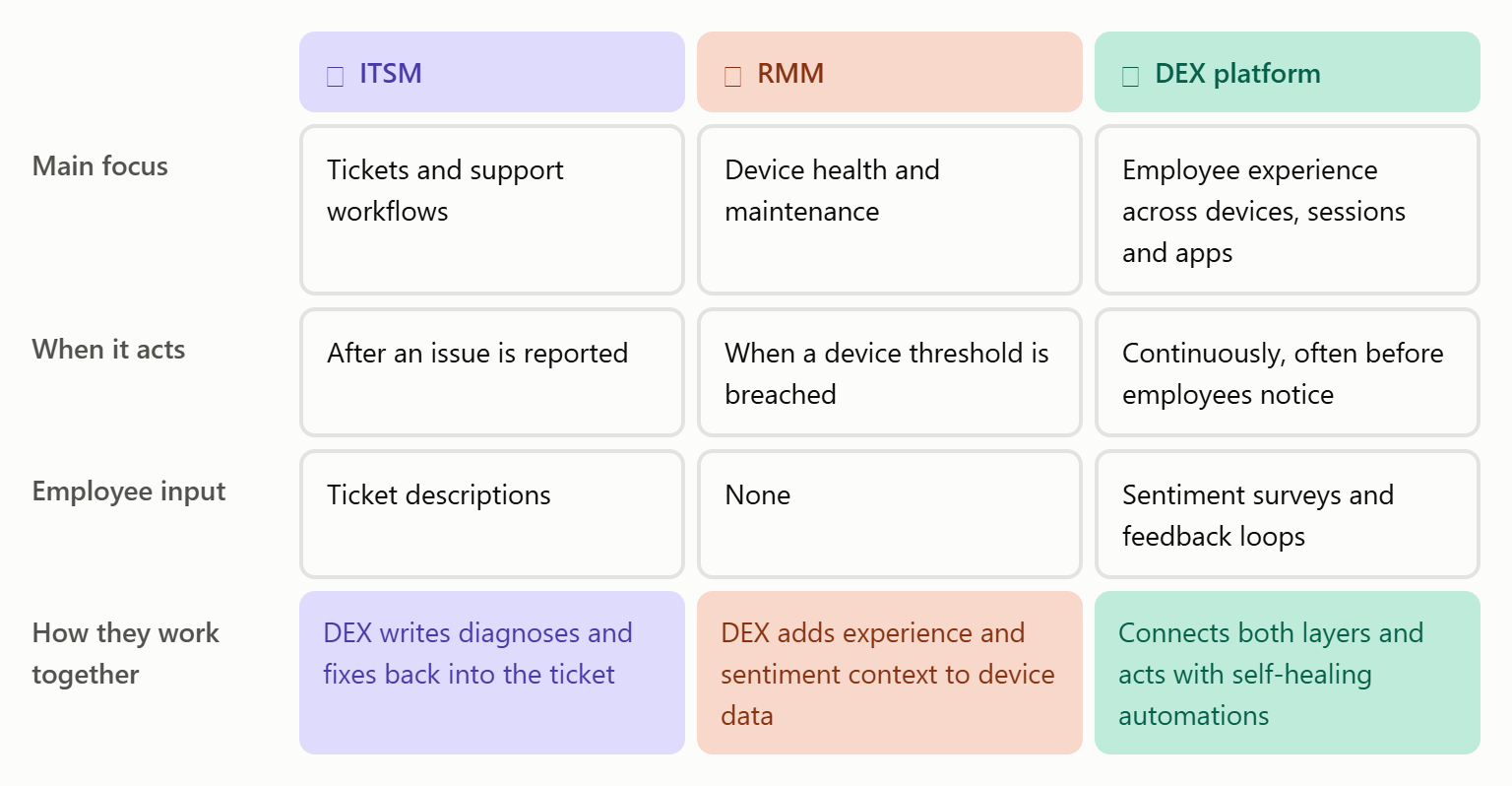
ITSM and RMM tools manage different parts of the IT support picture.
When something breaks, ITSM platforms centralize and automate the support workflow, including tracking the ticket.
RMM tools deal with the device. They help you monitor and maintain laptops, desktops, servers, and network devices, normally in real time and from a centralized console.
While both are extremely useful, neither ITSM nor RMM tells you how the technology feels for the person using it, so you don’t hear about the frustration and friction that cuts into their productivity and morale.
The best DEX platforms bring together data from endpoints and applications and combine it with the employee sentiment and organizational context that device metrics alone can’t capture. This gives you actionable insights to fix the issues that matter to your workforce.
If the DEX tool has the right automation built in, then it can also drive self-healing automations, often before the user even notices.
This can provide major benefits. The best digital employee experience tools can integrate with ITSM and RMM instead of replacing them to improve visibility, cut IT’s manual overhead, and deliver faster fixes for employees.
A good DEX platform can also reduce your tool count. It brings observability, automation, remote support, and analytics into one console, and can replace standalone tools for remote assistance, licence control, and inventory. It can also flag underused software and Microsoft 365 licences to cut costs.
Choosing the right DEX platform for your company can be a complicated task because of the various factors involved, and some are more important than others.
To make this clearer, let’s go through six key criteria that DEX specialists like Flexxible say to look for, ordered by importance for IT teams. Two requirements come before any of them: data residency and compliance. If a vendor doesn’t meet them, there’s no point comparing anything else.
Then, we’ll look at what each platform looks like in practice and any potential red flags you should take into account.
Data residency is very important, but organizations sometimes neglect to consider who has legal authority over it.
If you operate in Europe and a DEX platform states that its data “stays in Europe”, then that’s a great starting point, but you’ll also need to check:
Red flag: If a vendor gives you vague answers to the above queries, then rule it out before comparing anything else.
If you can’t see what your employees are using, then you can’t fix problems. A DEX platform should give you a unified real-time view of every physical and virtual workspace across your workforce.
This view should include performance data (CPU, RAM, GPU, network latency, app behaviour) from devices and sessions, including multi-user virtual sessions, continuously, then seeing it in a single console. The tool’s OS coverage should match what you have in your estate, including Windows, macOS, Linux and ChromeOS where relevant.
Red flag: Look out for virtual desktops treated as an add-on, monitored through a separate module or only via agents on persistent desktops.
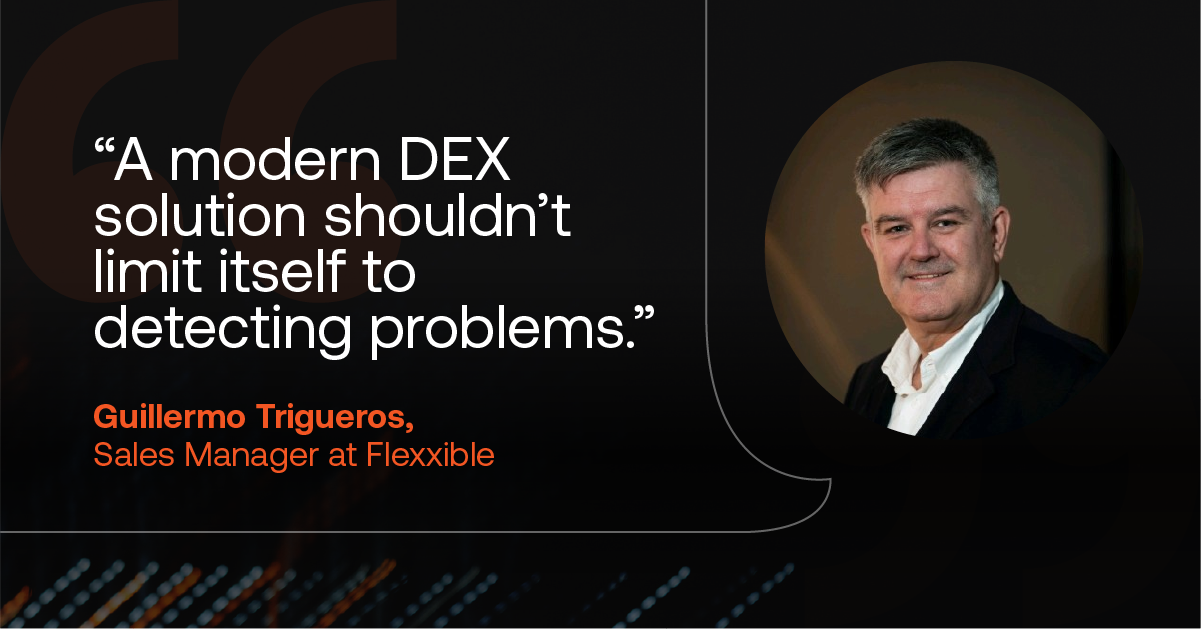
The best DEX platforms stand apart because they can fix issues on their own instead of simply telling you that they exist. “A modern DEX solution shouldn’t limit itself to detecting problems,” says Guillermo Trigueros, Sales Manager at Flexxible. “Instead, it should fix them automatically, from a library of ready-made remediations. That’s how IT teams cut tickets, costs, and resolution times.”
Self-healing automations that resolve common issues before employees notice are key here. That large library of ready-made fixes should come with low-code workflows and AI-assisted creation that help you build and add your own solutions.
Control is also key. Your IT teams should choose which fixes they automate, including where and when they happen. This capability can deliver remarkable results, such as a Flexxible client who cut the resolution time from 1.8 days to eight minutes once they automated first-line fixes.
Also, look for governance features such as role-based permissions, targeting by device group, and a detection-only mode that lets you test an automation before it acts. Every execution should be recorded in an audit trail.
Some DEX platforms now extend into autonomous service desk capabilities because they can solve incoming tickets themselves instead of routing them to a person.
FlexxSolve is a key example. Operating as an optional autonomous resolution layer within FlexxClient, Flexxible’s DEX platform, it uses the same endpoint data to categorize each ticket and resolve it from a catalogue of certified fixes. When it can’t, or doesn’t have permission, it passes a full diagnosis to the support team who have the data they need to complete the task.
Red flag: “Automation” that isn’t really automation. Alerts, chatbots, and ticket routing all help to speed up handling, but they don’t automatically fix anything.
When you need to know how a device is performing, telemetry gives you the answers, but it won’t tell you how an employee is experiencing it. Sentiment data does, and the best platforms combine both of these metrics.
Built-in surveys and feedback loops are the core features that capture sentiment. These feed into a DEX score that combines that feedback with device and application data to tell you where friction is really happening and which fixes will make the biggest difference.
The consequences of not doing this may be significant. Gartner reports that, through 2030, organizations that rely primarily on surveys to assess DEX will misdiagnose at least half of their top experience issues. IT-only metrics, meanwhile, will tell you that a device “looks” healthy while the employee behind it loses time using it every day.
“A team can meet every SLA and still deliver a poor experience to the user,” says Guillermo Trigueros. “The current trend is to move from technical KPIs to XLAs (Experience Level Agreements).”
Whatever you measure, results should be trackable through MTTR, ticket reduction, and XLAs.
Red flag: Avoid DEX scores built only from hardware metrics, or siloed survey data that you can’t link to performance metrics.
A good DEX platform strengthens the tools you already work with instead of adding another silo.
Turnkey integrations with your ITSM (such as ServiceNow, BMC, or Jira Service Management), UEM (such as Microsoft Intune) and endpoint security tools like CrowdStrike are a big part of this. They allow alerts and fixes to flow between systems without manual hand-offs or switching between consoles.
Some platforms offer bidirectional integrations so your DEX platform can write diagnoses and fixes back into a ticket, instead of simply reading the data out.
Red flag: Beware of integrations that need custom API work for every connection, or that only export reports.
IT leaders want value quickly, typically in weeks. To improve the chances of this, ask how quickly the platform can be deployed, what agents and infrastructure it needs, and whether configuration requires specialist consultancy.
Many companies get caught out when they take on too much too soon with a new platform. Often, they’re tied to expensive pricing packages that end up unnecessarily draining budget before workforces are ready to make the most of the platform.
Tiered packaging lets you start where you are and grow, with expert help included. Many smaller organizations start off with just core monitoring and remote support, then move into advanced remediation and DEX management as they mature.
Also, factor in the total cost of ownership. Many companies obsess over licence fees but a platform that bundles remote assistance, patching, software asset management and licence optimisation can let you retire several standalone tools.
The best way to prove it is a proof of concept with KPIs agreed upfront, such as ticket volume, time to diagnose, MTTR and the number of consoles your team uses.
Red flag: Sometimes platforms push all-or-nothing bundles and expensive implementation services, which can easily push you over budget. Opt for solutions that let you add services incrementally.
Even the best platform needs the right people behind it. Check whether support is local and in your language, which SLAs apply, and whether other services, like customer success checks and adoption support, are included or charged separately.
Red flag: Customer success reserved for the largest accounts, or support routed only through partners in other regions.
The six criteria above will move you closer to choosing the right Digital Employee Experience platform, but they’re a lot to remember. Here’s a list of eight questions you can ask so that you can easily compare your options.
If the vendor can answer most or all of these questions to your liking, then they’ll be a strong choice for your organization and its digital workplace.
When we applied the above criteria to our own DEX platform assessment, as well as public sources like the Gartner Magic Quadrant and vendor documentation, we found the following platforms to perform well.
Supporting over 30 million endpoints globally, Nexthink offers breadth and scale, which it backs up with an extensive library of integrations and automations.
After a long heritage in virtualization monitoring, ControlUp now consolidates its DEX services into one platform covering desktops, VDI and applications. Its pricing is also competitive and accessible to smaller organizations.
TeamViewer combines DEX with its remote support and endpoint management tools. Its tiered bundles offer a lower-cost entry point, with room to add capabilities as your needs grow.
This platform converges DEX with endpoint management, security and service management, and performs well for organizations that already operate within its ecosystem.
Our DEX platform, FlexxClient, lets you see the full employee experience from a single platform. When issues occur, it resolves many of them automatically through automated workflows. With FlexxSolve, its autonomous IT layer, it can also take incoming tickets and fix them on its own, so your IT team spends less time firefighting and more time improving how your tech works for employees.
With tiered packaging and deployment services, our European-based platform is tailored to what your company needs in its current situation.
You can bundle multiple capabilities into the same licence, including remote assistance, OS patching, and software asset management, which helps you cut down on the number of tools you use. FlexxClient also offers turnkey integrations with leading ITSM and endpoint security platforms, such as CrowdStrike, so it can slot into the ecosystem you already run.
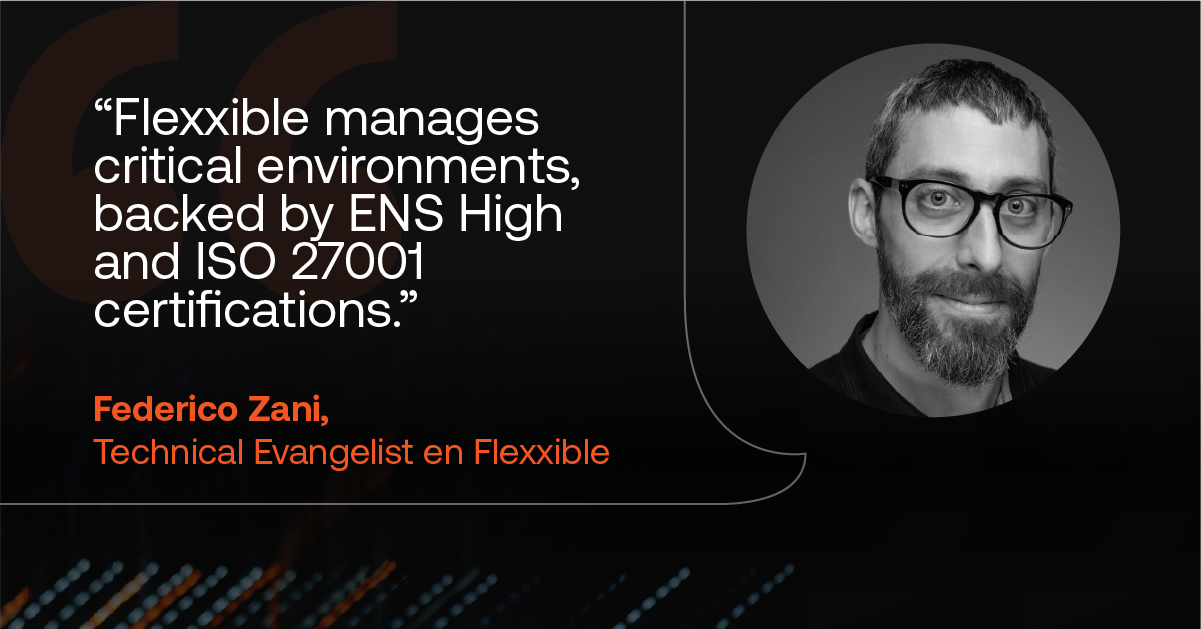
Recognized as a Niche Player in the Gartner Magic Quadrant for DEX Management Tools for the third consecutive year and a Strong Performer in Gartner Peer Insights 2025, Flexxible has built its platform around demanding, regulated environments. “Flexxible has grown with a focus on the Spanish market and demanding sectors like public administration, says Federico Zani, Technical Evangelist at Flexxible. “The platform already manages critical environments there, backed by ENS and ISO 27001 certification”.
Our guide to digital employee experience platforms covers this comparison in more detail and looks at the leading DEX tools feature by feature.
Knowing how to choose a DEX platform means finding the best fit for your company’s environment. Often the market leader isn’t the best choice; some of their capabilities may not be relevant to your workforce, or perhaps their package is too elaborate for where you currently operate.
That’s why using the six criteria and eight questions above when assessing vendors is a smart move. You get to judge each one on evidence – think live demos and measurable outcomes – instead of simply going with analyst rankings that reflect the market but not your organization’s requirements.
Old tools and siloed processes holding your IT team back? FlexxClient gives your employees technology experiences that safely enable business continuity, with automation that delivers measurable results from day one. Book your demo today.
Start with the non-negotiables: data residency and compliance. Beyond that, DEX software should help you tick several boxes, including a unified view of your digital estate and the bottlenecks that cause digital friction within it. The best options automatically resolve many of these issues for you, and improve your company’s DEX, which, in turn, will lead to better staff morale and productivity. It should also be the best fit for your business’s current situation, rather than an all-in-one super tool that drains your budget unnecessarily.
There are several DEX platforms designed for large organizations, but their capabilities vary. This is why it’s important to score each vendor against your own priorities.
Treat each one equally and hold them to important questions, such as the ones we outlined in the article above. Often you’ll see that one performs better than the other in one area, but then not as well in another area. The key is to pick the solution that best fits your operations.
A compliant vendor should be able to show you evidence of safe and compliant software instead of just assurances.
This includes where your data is hosted and under which jurisdiction, as well as how employee data is handled under GDPR, and how its controls support your NIS2 supply-chain obligations. National certifications carry particular weight, as they’re audited against the standards your regulators expect.
In Spain, Flexxible holds ENS Alta, the highest category of the Esquema Nacional de Seguridad (National Security Scheme), which matters for public-sector bodies and companies following the same rules.


Book a personalized demo or tell us what’s getting in the way.
We'll find the solution together.